
Creating a Class and Managing Students - Admin
Administrators have full management access, allowing them to add, edit, and delete teachers, classes, and students within the school account and view whole school data reports.
Before making changes, ensure you have switched your profile from Teaching Mode to Admin Mode.
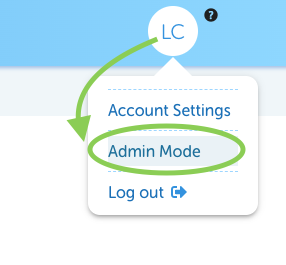
If you need to create new classes or add teachers, and don't see Admin Mode you'll need to contact your LiteracyPlanet Administrator for assistance.
Creating a New Class
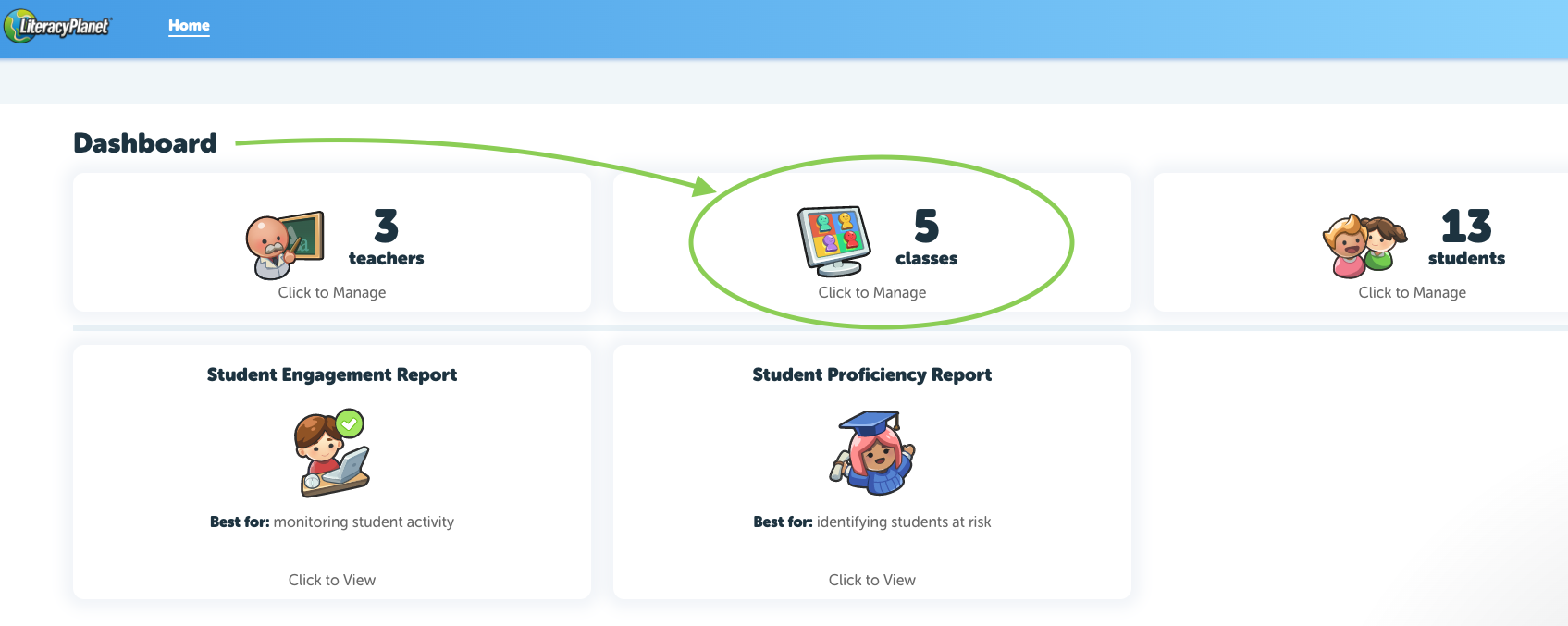
- Navigate to the Dashboard under the Home tab.
- Click Manage Classes.
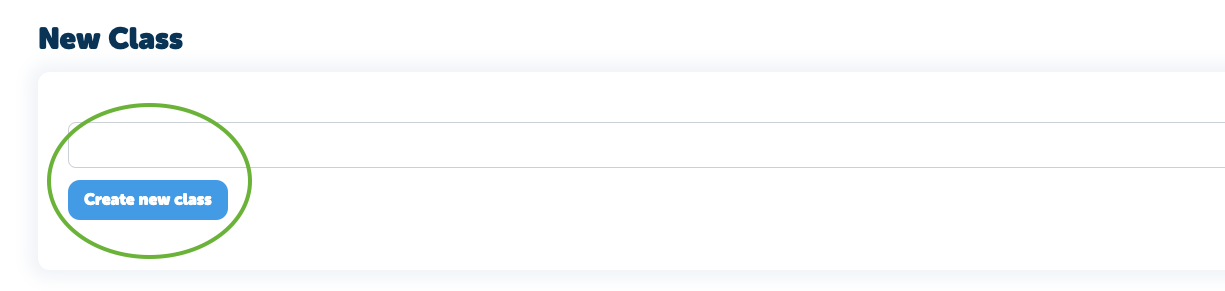
- Select New Class in the top-right corner.
- Enter the desired Class Name, then click Create New Class.

Adding Teachers or Students to a Class
Once the class is created, use the Manage sections to assign teachers and students to the class.
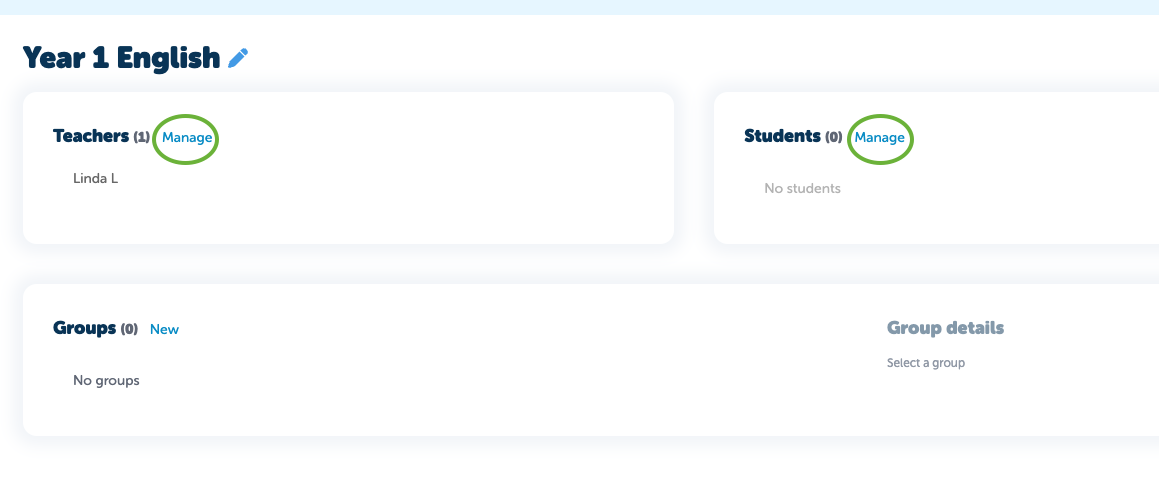
If a teacher is not visible, they must be invited to the school before they can be assigned to a class - please refer to this article - linked here to invite teachers.
Adding or removing Students
To add students to a class, go to the Manage section (next to students), tick the checkbox next to the required students, and save your changes. The selected students will then appear in the class.
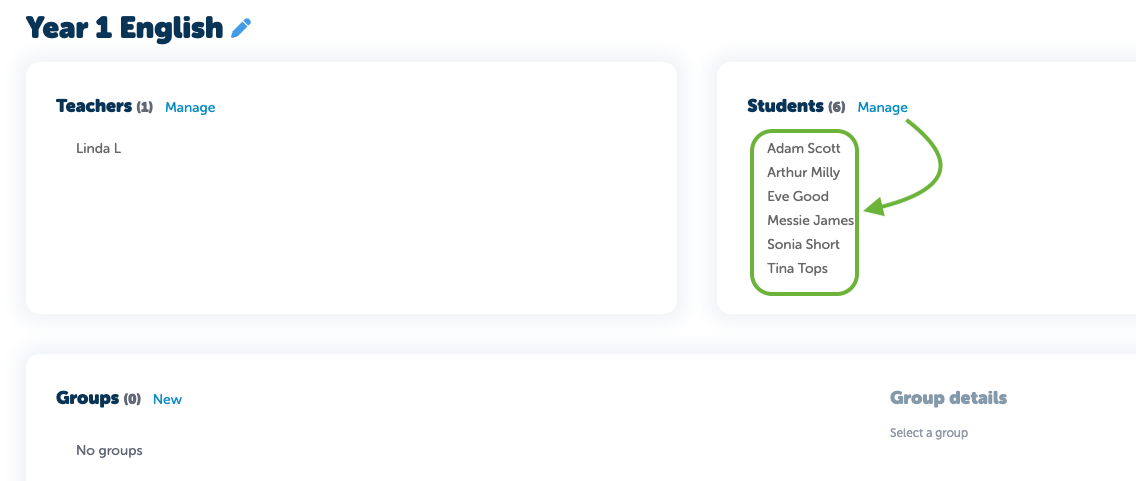
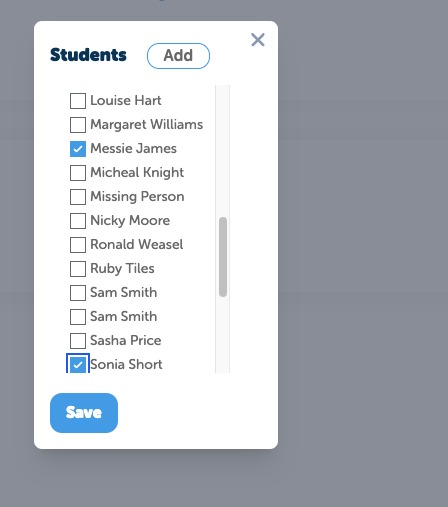
Use the same method to remove students
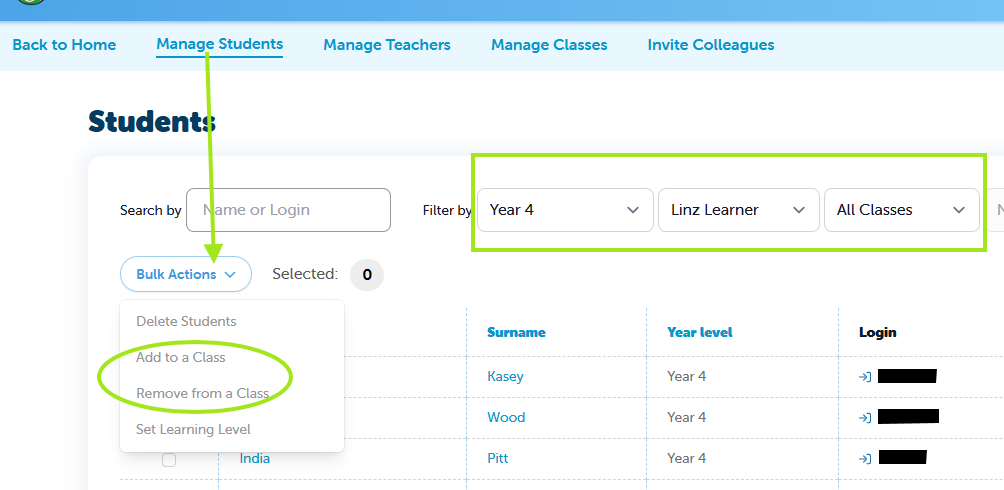
- You can also bulk add or remove students from Manage Students.
- Head to Manage Students
- Use the Filters to select classes
- Tick the students and select Bulk Actions
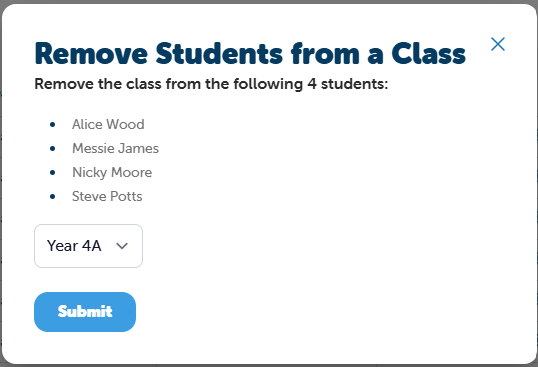
Check and Submit the changes:
Using Groups for Differentiation
To support different learning abilities, teachers can use the Groups feature to divide students into smaller groups within a class.
- Open the Class.
- Select Groups.
- Create a group name.
- Choose the students you would like to include in that group.
When assigning work to the class, teachers can differentiate tasks by filtering and assigning work to specific groups.
To support different learning abilities, you can use the Groups feature to divide students into specific groups within a class.
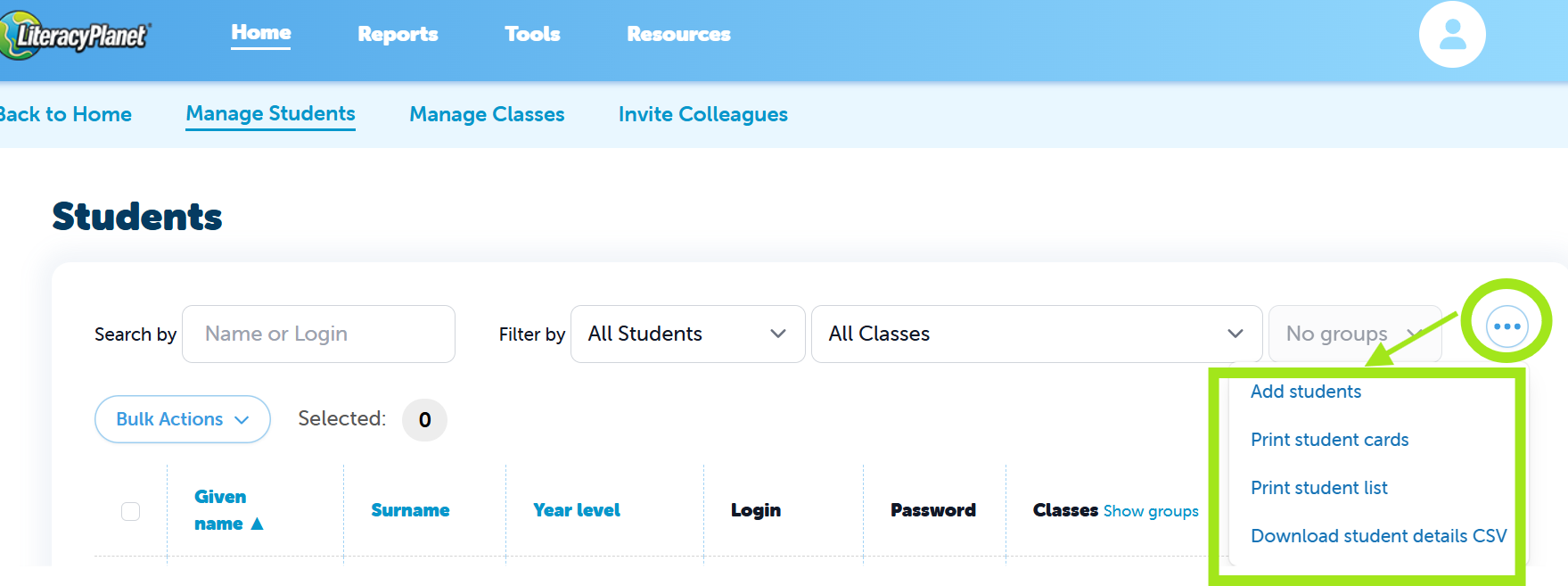
Administrators also have additional options available in Manage Students, including the ability to:
- Add new students
- Print student cards or a student list
- Download student details for the whole school account
These options can be accessed by selecting the three-dot menu in the Manage Students section.
Note: If your account is connected to Wonde for syncing, you will not see options to manually add or remove students, teachers, or classes. Any changes made in Wonde will automatically sync to LiteracyPlanet, so no manual updates are required