Manage Students - setting learning levels
If your students are working below their current year level, we recommend setting their Learning Level. When students don't have teacher-assigned work, LiteracyPlanet automatically assigns activities based on their Year Level.
Setting a student's Learning Level will reset all curriculum strands to the selected level. This only applies to missions and tasks assigned automatically by the program. Teachers can still manually assign tasks from any year or level, regardless of the student's Learning Level.
From your Teacher Dashboard, select Tools and then Manage Students.
Note: This can only be done by the teacher, not the administrator.
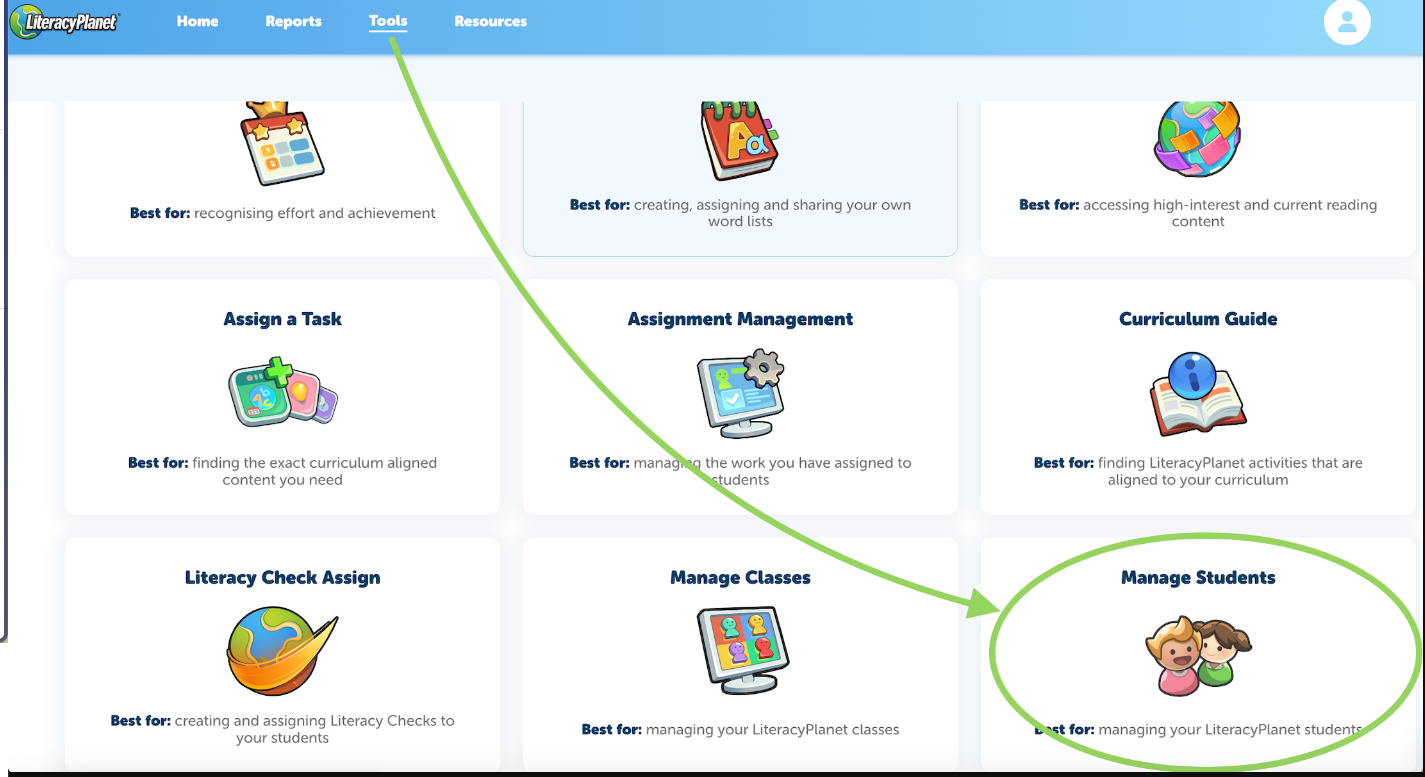
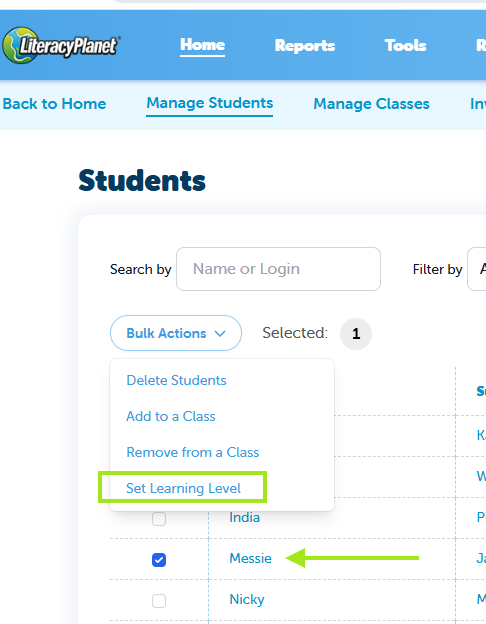
1. Click on Manage Students 2. Tick the student/s and select the Bulk Actions dropdown 3. Click Set Learning Level
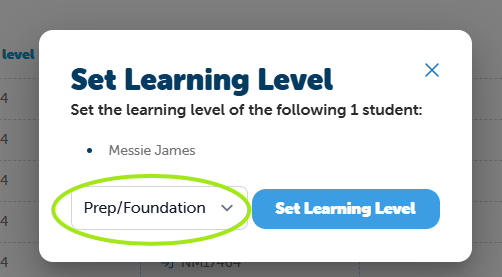
Select the Learning Level from the dropdown box then click Set Learning Level:
NOTE: The student needs to log into the platform for the changes to take effect.
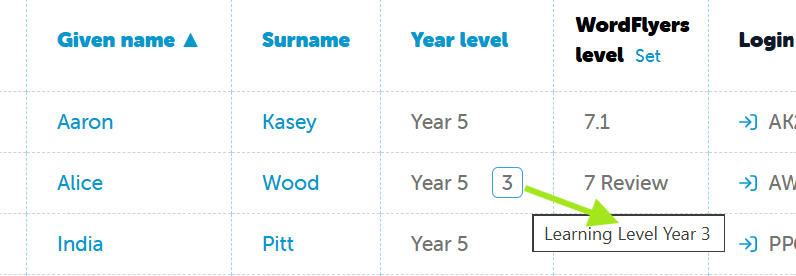
After setting the learning level, you'll notice an extra number displayed in the Year Level column. When you hover over this number, it will show the student's assigned learning level.