WordFlyers results report
Once you’ve set the learning levels for your students, you can track their progress through the Reports section.
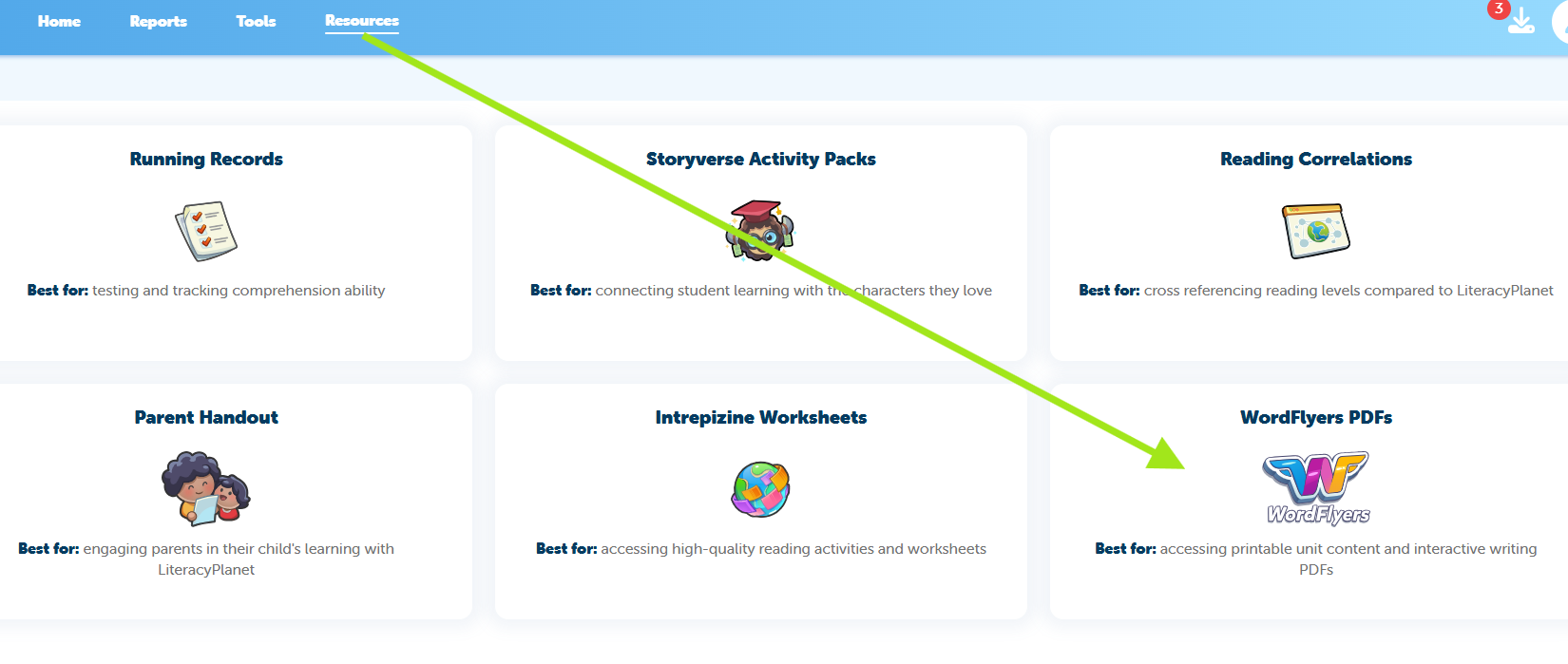
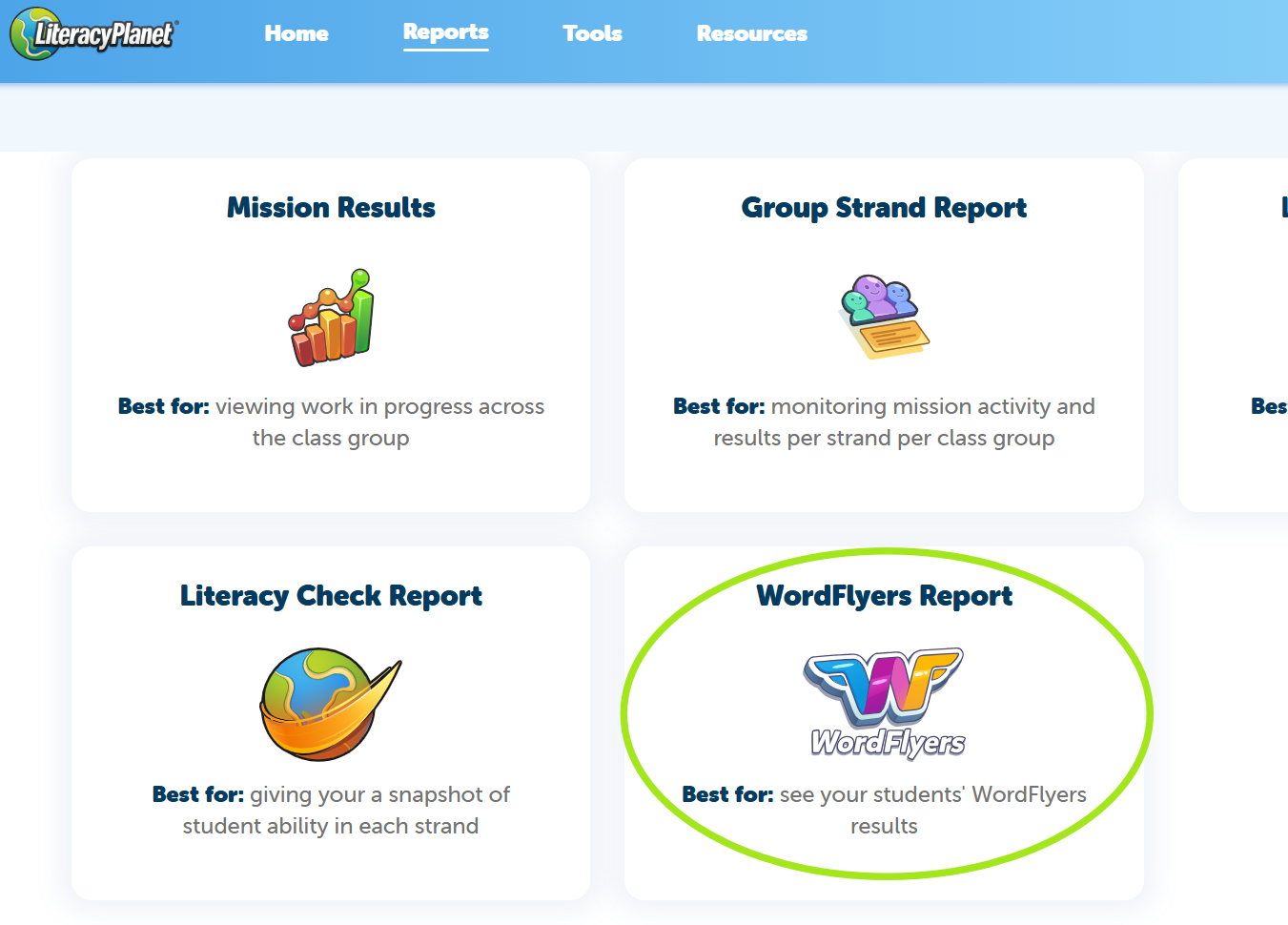
- Navigate to Reports from the main menu
- Click on WordFlyers Report
Apply Filters
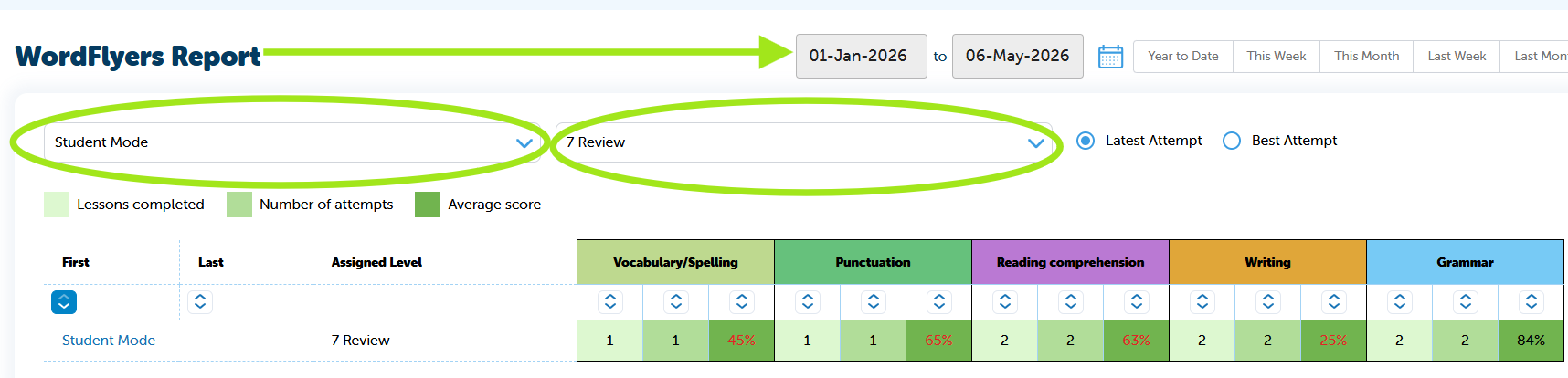
- Select the date range
- Use the filters to choose your class and level
- When All Levels is selected, you’ll see an overall average along with all completed WordFlyers tasks
What Data Can You View?
The report provides the following insights:
- Lessons completed
- Number of attempts
- Average score
Important Note
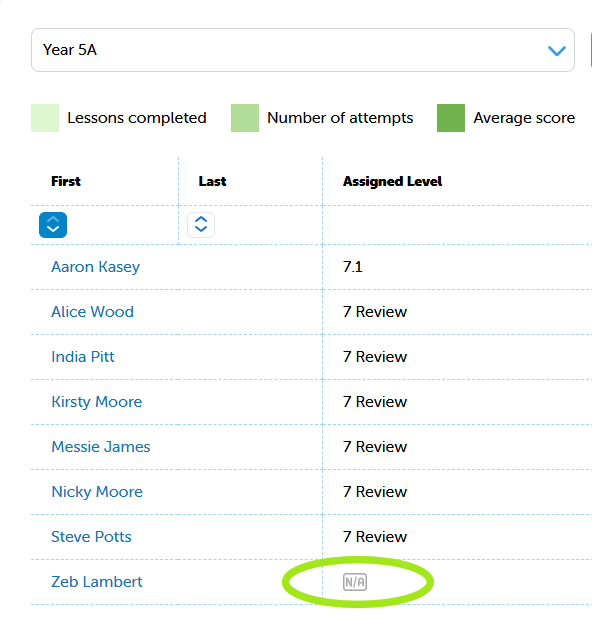
If you see N/A under Assigned Level, this means the student is below Year 5 and does not have access to WordFlyers in their student interface.
Access WordFlyers interactive PDFs to share with your students from Resources: