Login to a Student’s Account (Teacher)
Teachers can log into any student account that belongs to one of their classes. While teachers can already view student results from the teacher dashboard, logging in as the student can be helpful to see how the student is using other areas of the platform such as Arcade, Shop, Gems, Word Mania, My Words, and WordFlyers — all exciting aspects of the student experience.
There are two ways to log into a student’s account:
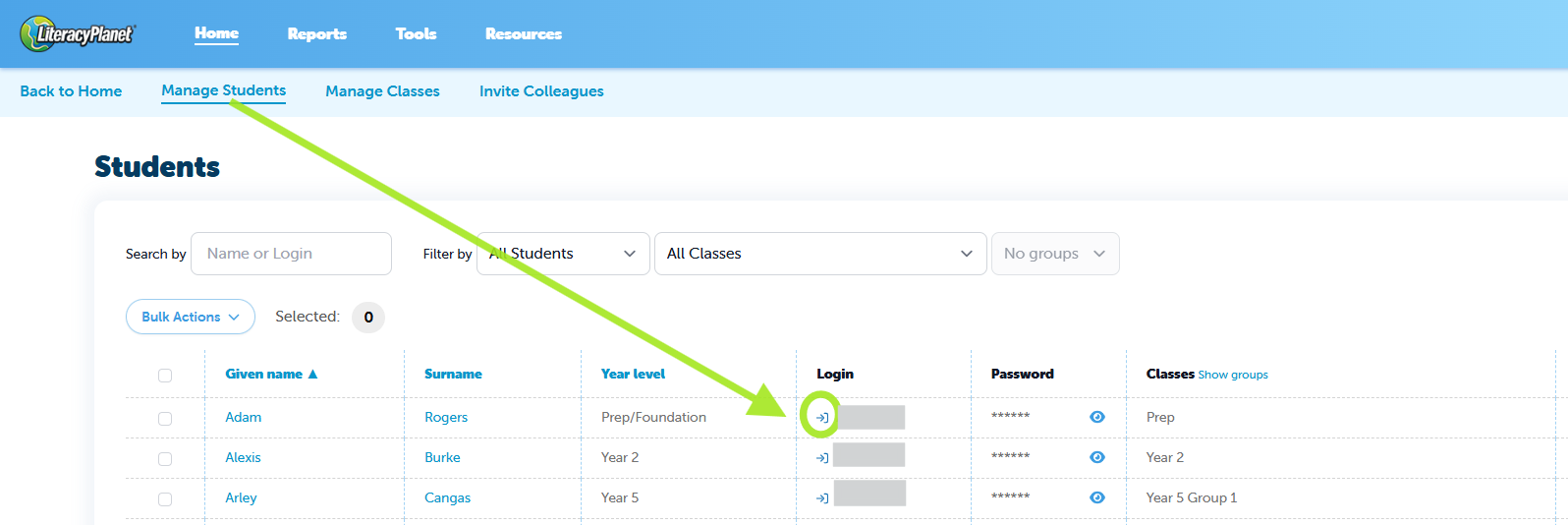
From Manage Students
- Go to Manage Students
- Click the login icon next to the student’s ID in the Login Column
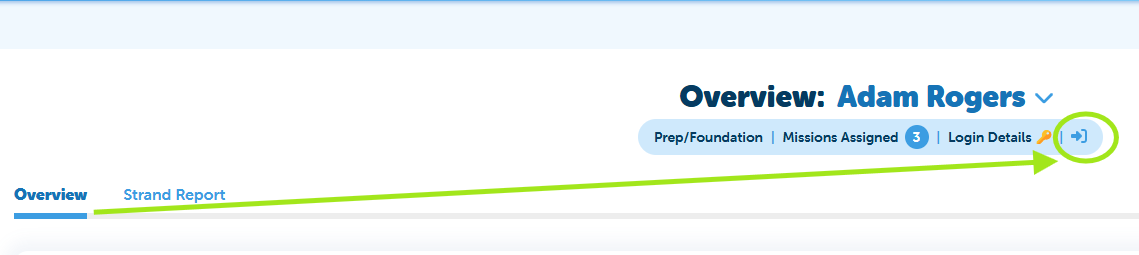
From the Student Overview
- Open the Student Overview page (From Mission Results or Student Activity Report)
- Click the login icon next to the login details at the top of the page
Returning to your teacher account
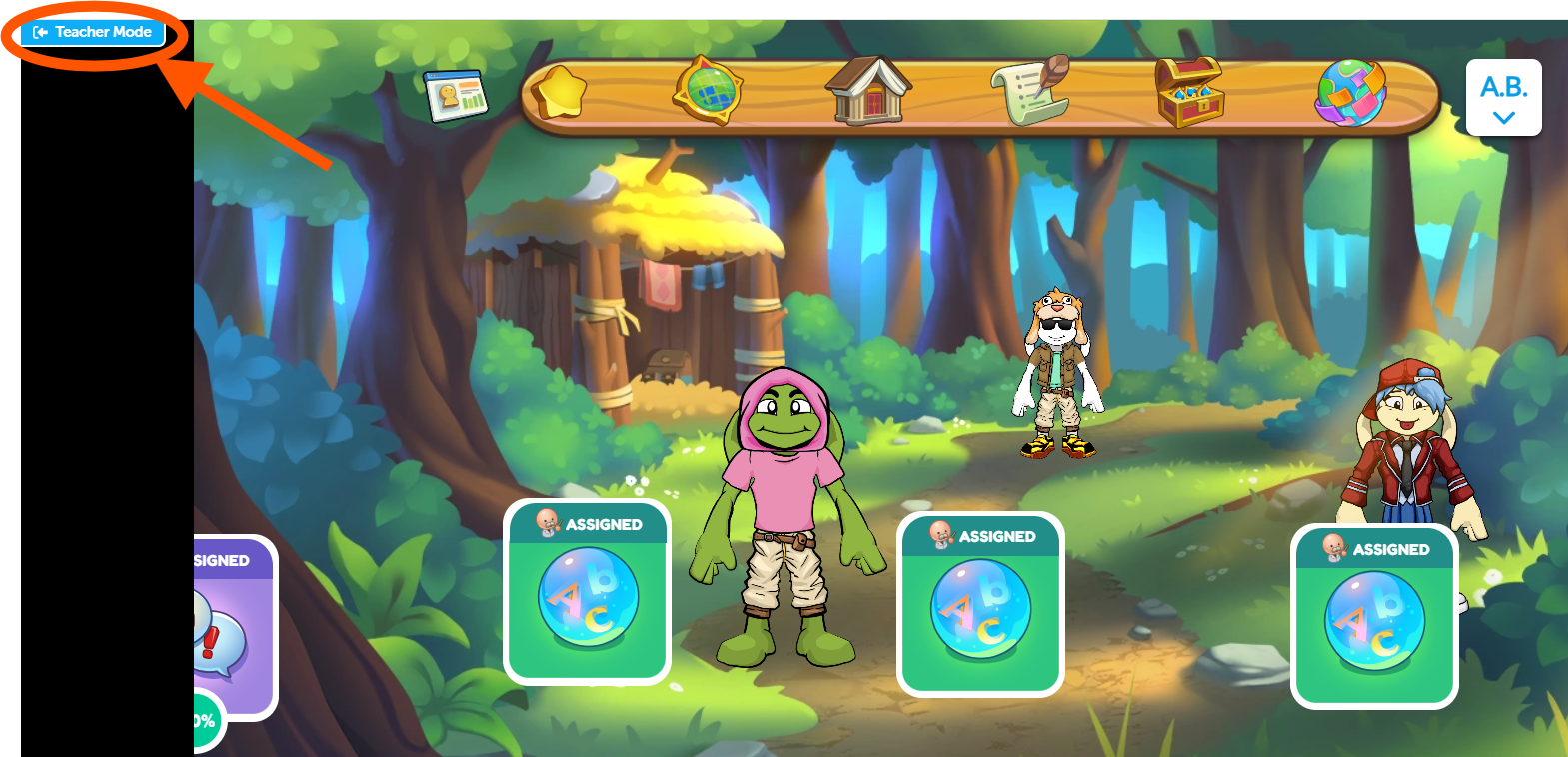
After viewing the student’s account, simply click Teacher Mode. This will take you back to your teacher interface.