
Upgrade - School or Teacher plans
Our plans are suitable for all users and everyone starts with a Pro Plan trial 🎉
Ready to start your LiteracyPlanet journey following your trial? We can help you get set up!
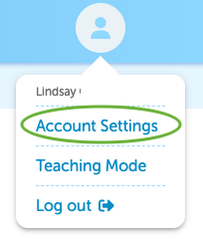
Head to Account Settings & Admin Setting:
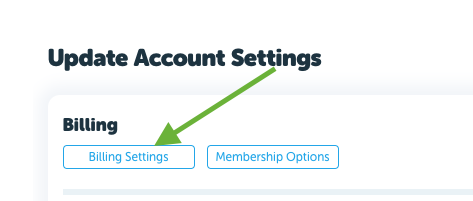
Then select Billing Setting:
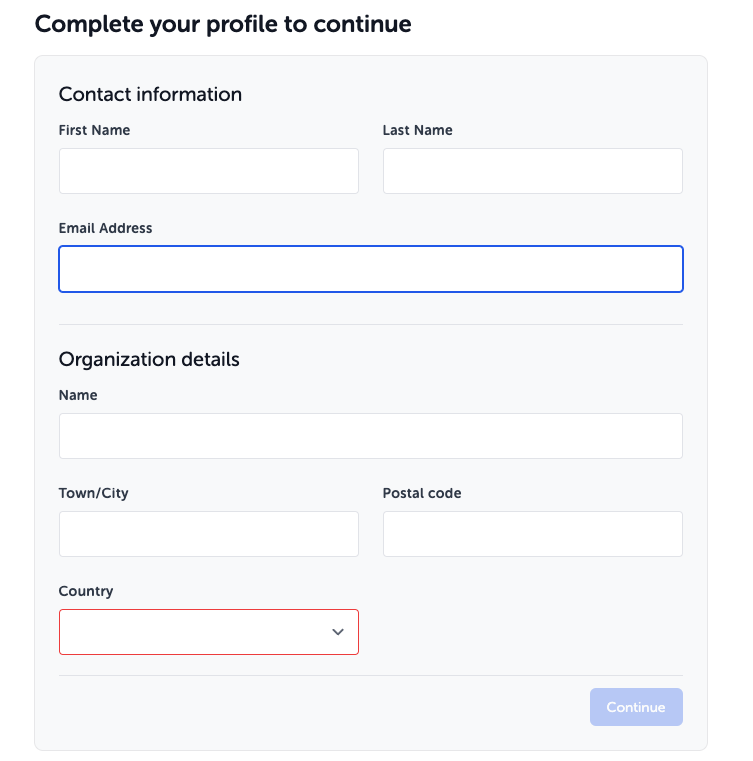
Complete your Profile and continue:
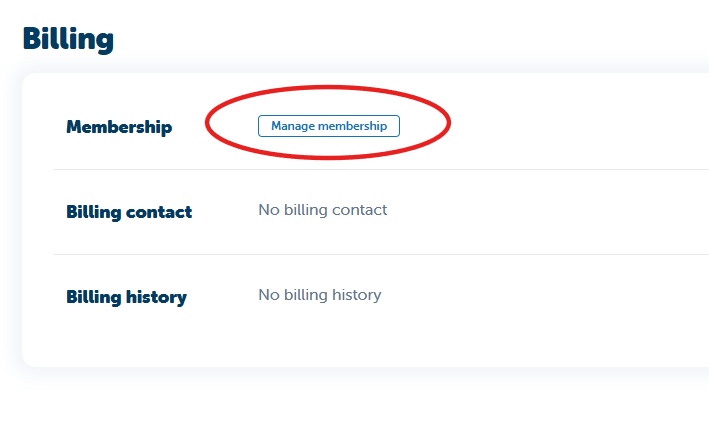
Select Manage Membership:
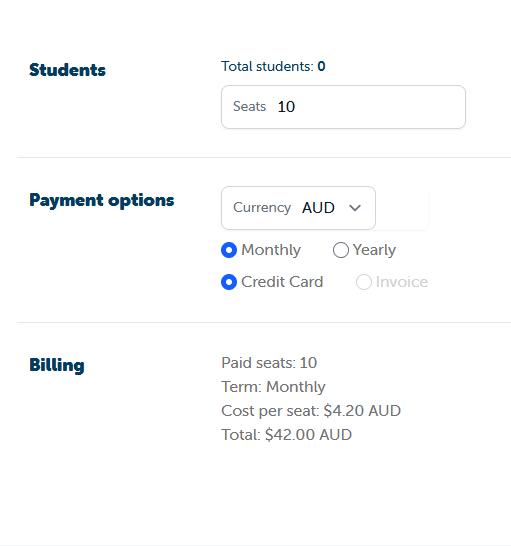
Enter your number of seats and select your preferred subscription term (Monthly or Annual).
If you require an invoice for your school, you’ll need to select more than 60 students. Once you’ve selected more than 60 students, the Invoice payment option will become available and will no longer appear greyed out.
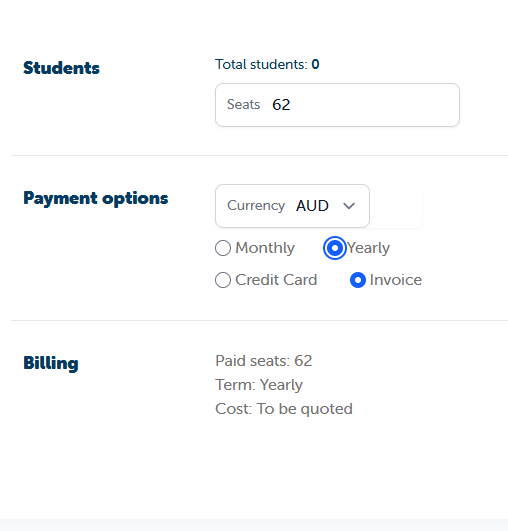
When you select Invoice and continue, a member of the LiteracyPlanet team will contact you via email with a personalised quote for you to review and sign.
If you have fewer than 60 students, select either the Annual or Monthly Credit Card payment option.
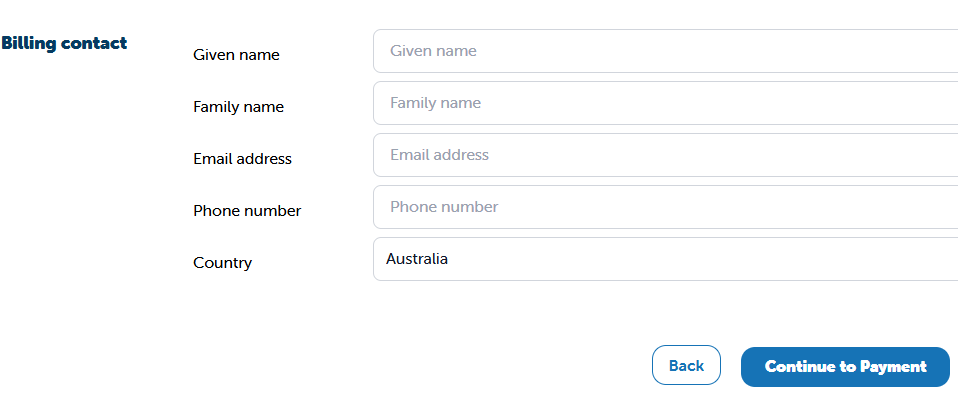
Next, enter your Billing Contact information.
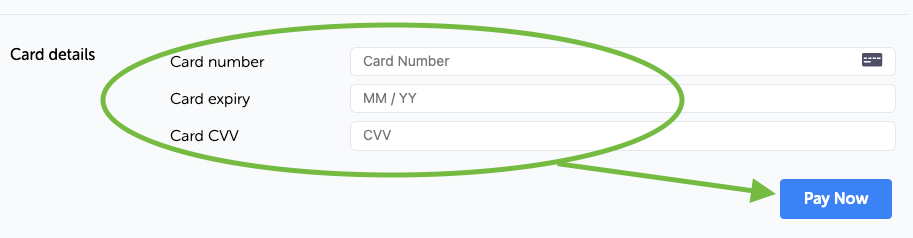
At Checkout, review your plan details, enter your card details, then select Pay Now.
Congratulations! 🎉
You are now a part of the LiteracyPlanet family. The team are here to help with any questions along the way. Please reach out to us at anytime!
If you need to change your plan, please head back to Account Settings for instructions.
Want to set up a large school account? No worries! Send a message on the in-app chat 👉🏻 with your requirements and we will be in touch 😀